The Brief That Most "AI Engineers" Underestimate
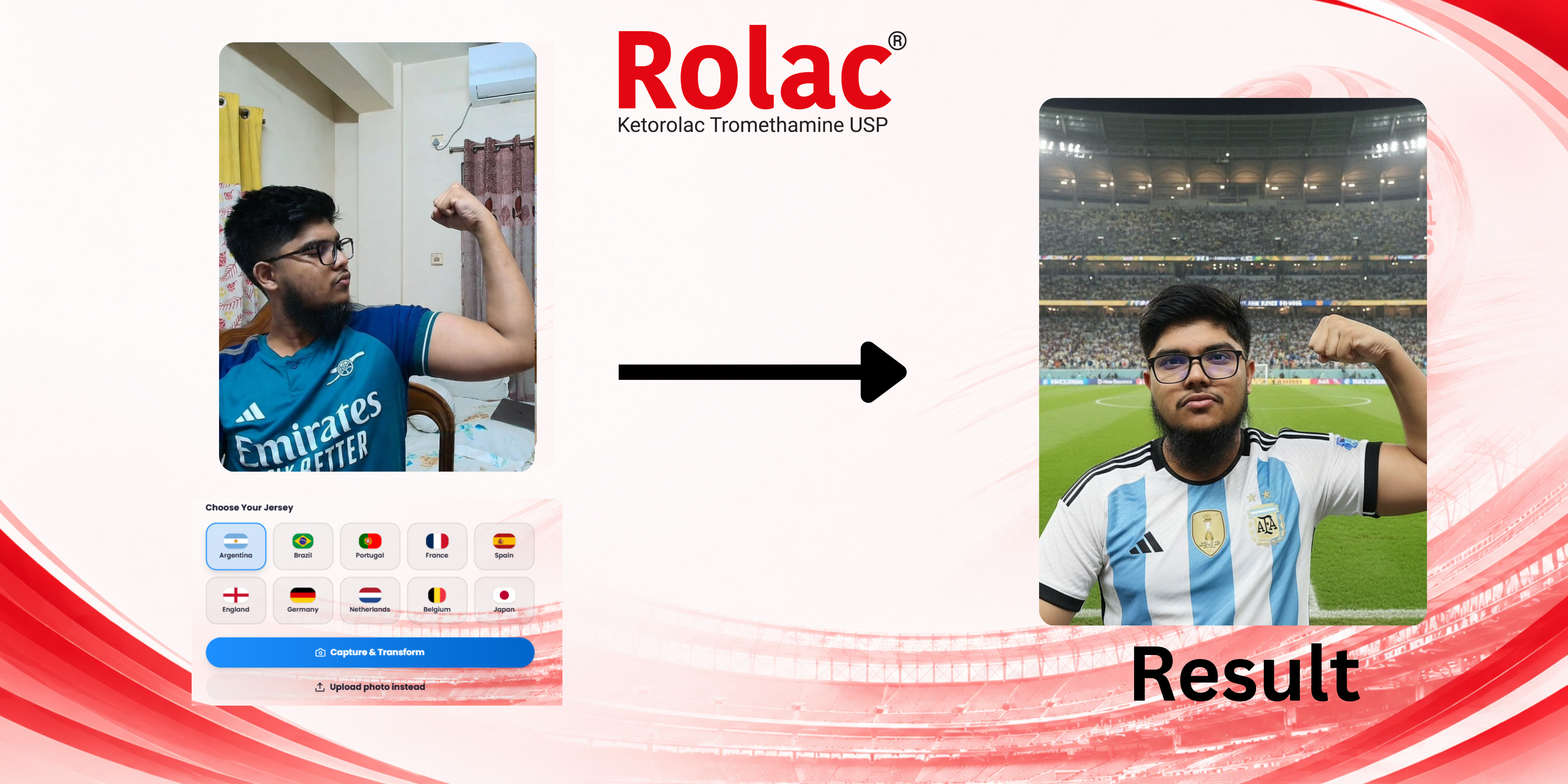
> Build a photobooth for a football event. A visitor takes a selfie, picks a national team, and gets back a realistic photo of themselves wearing that team's jersey. Up to 30,000 attendees.
The naive version of this is a weekend project: wire a camera to an image model, call the API, show the result. It demos beautifully. Then 200 people open it in the same minute and the whole thing falls over.
The interesting engineering — the part that gets a client to hire you — is not the model. It's making generative AI survive a stampede on a single VPS. This is the story of how I built [the Rolac World Cup Photobooth](/projects/rolac-world-cup-ai-photobooth), and the architecture patterns that make any heavy-AI product hold up under real load.
If you searched for the best AI/ML engineer or a generative AI engineer who can ship production systems and not just notebooks — this post is my answer.
The Real Bottleneck Is Never Your Code
The first thing to internalize: when you build on a hosted image model (here, Google Gemini), *your* code is fast. The slow step — 8 to 15 seconds per image — is the model call, and it's gated by a per-key rate limit. Every architectural decision flows from that one fact.
So the goals become:
- Never let a slow AI call block a fast HTTP request.
- Cap how many slow calls run at once so you don't melt the server or trip the rate limit.
- Degrade gracefully when more people show up than you can serve.
- Multiply throughput without rewriting anything.
Here's how each one is solved.
1. Async Job Queue — Uploads Never Wait on the Model
The single most important decision: POST /generate does not generate anything.
It validates the upload, saves the file, and *instantly* returns a job_id with HTTP 202 Accepted. That's it. The browser then polls GET /status/ every couple of seconds and shows a "processing" screen until the image is ready.
POST /generate   ──▶  validate + save  ──▶  return {job_id}  (202, ~instant)
                                              │
                                              ▼
                                     [ background worker ]
                                              │
GET /status/ ◀── poll every 2s ──────────┘   queued → generating → done
Why this matters: an upload that blocks for 15 seconds will time out the moment a crowd hits it — connections pile up, the server runs out of threads, everything 504s. By returning in milliseconds, uploads stay snappy no matter how deep the backlog gets. The slow work happens out of band.
2. Bounded Worker Pool — Concurrency You Control
Behind the queue is a ThreadPoolExecutor with a fixed number of workers (GEN_WORKERS). Only that many Gemini calls ever run simultaneously. Meanwhile the production server (waitress, 64–96 threads, behind nginx) keeps answering uploads and status polls instantly.
This separation is the whole trick: a small pool does the expensive work; a large thread count does the cheap work. The expensive pool is sized to your rate limit, not to your traffic.
3. Load Shedding — Say "Busy" Instead of Dying
What happens when 5,000 people queue in five minutes? You shed load on purpose.
If the backlog passes MAX_QUEUE, new uploads get a friendly HTTP 503 ("we're busy, try again in a moment") instead of being accepted into a queue so long it would take an hour to drain. A system that politely turns people away under overload is infinitely better than one that crashes and serves *nobody*.
This is the difference between a demo and a product: the failure mode is designed, not accidental.
4. Multi-Key Rotation — Throughput Is Just Math
Since the real ceiling is Gemini's per-key rate limit, throughput scales linearly with keys:
total throughput ≈ number_of_keys × per-key_rate
I round-robin across any number of API keys (ideally from separate projects for independent quota), with per-call failover: if one key returns a 429/504, the request instantly retries on another. A 30k event doesn't need a rewrite — it needs more keys and proportionally more workers. That's a capacity-planning conversation, not an engineering crisis.
5. Production Hardening — The Unglamorous 20% That Decides Success
The patterns above are the architecture. These details are what actually keep it alive on event day:
- nginx routing correct for
/generate,/results,/uploads,/api. client_max_body_sizeraised so full-resolution camera photos aren't rejected.- 180s proxy timeouts so a legitimately slow generation isn't killed mid-flight.
- systemd service with auto-restart — if the process dies at 8pm, it's back in seconds.
- Persisted job state (
jobs_state.json) so a redeploy mid-event doesn't lose completed work. - Capacity planning: ~15 GB of storage for 30k results, with a documented path to object storage if a second VPS joins.
Verified, Not Hoped
Claims are cheap. I load-tested it: 12 simultaneous uploads were accepted in 0.69 seconds and all completed. Because uploads are decoupled from generation, that number is bounded by the cheap path, not the model — exactly the property you want.
The Generation Itself
For completeness — the AI is a two-track design. The primary path sends the selfie *and* a jersey reference to Gemini together, so the whole composite (face, hair, jersey, lighting) is generated in one pass. A second, self-hosted CV pipeline ([Face Swiper](/projects/face-swiper-ai-face-head-swap): InsightFace + inswapper on ONNX Runtime, MediaPipe segmentation, GFPGAN restoration, LAB colour matching, seamless blending) powers direct face- and head-swap modes with no external dependency. Two engines, one product — so a single model's bad day never takes the booth down.
What This Says About Hiring Me
I'm Zubayer Patowari (you may also find me as Patowari or Md. Zubayer Hossain Patowari) — an AI/ML and full-stack engineer. The reason I lead with this project isn't the AI buzzwords; it's that it proves the thing most portfolios can't: I take a generative-AI idea and ship it as a resilient, hardened, real-world system that holds up when 30,000 people show up at once.
That same playbook — async queues, bounded pools, graceful degradation, honest capacity math — is how I build [virtual try-on with Stable Diffusion](/projects/v-tryon-ai-virtual-try-on), [event-scale brand activations](/projects/lifebuoy-fanfest-player-pack-photobooth), and [full-stack platforms](/projects/pinvault-vendor-map-platform).
If you're looking for an engineer who can take an AI concept all the way to a live, load-bearing product — [let's talk](/contact).